 Another one for the techies! This may fry your brain if you don't grok computers.
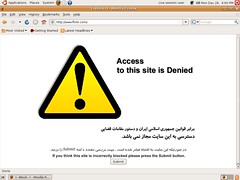
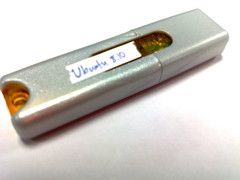
In an earlier post, I described that I'd put together a bootable USB stick with a complete operating system on it. I also described how to subvert the block on Flickr by using the Access Flickr Firefox Addon.
I used the stick most of the time in hotels and coffeenets (Internet cafes) and it was a life-saver. Plenty of the machines we used had all kinds of duff software on them and unpatched versions of Windows XP. The USB stick gave us excellent peace of mind. No matter where we were, we effectively had the same computer all the time - and that computer weighs just a few grams and lives in a trouser pocket.
Access Flickr worked a treat every time we tried to use it, so we could upload images to Flickr and blog them from there. We didn't have to worry about our passwords being hijacked by keyloggers.
Ubuntu always found the wired network and connected automatically; in one place I had to choose a wireless connection from a graphical drop-down and once I'd done that, connectivity was established.
I picked up a cheapo Compact Flash card reader, so between that and the bootable USB stick, I could grab files from the big camera, copy them temporarily to a hard disk for sorting, selection, editing and uploading to Flickr. At no stage did I have to care about other stuff that might be installed on existing hard disks, or worry about stuff cached by the browser.
I found that coffeenet proprieters were cool about letting me modify the BIOS on their boxes once they know I was booting Ubuntu; in hotel coffeenets, I'd just get permission from non-technical staff to insert the USB stick and help myself to BIOS config. Only one hotel had computers in which the BIOS was passsword-protected, and all of the machines I used had BIOSes which were recent enough to allow booting from USB devices.
Those were the pros; what about the cons?
The USB stick is supposed to allow changes to be persisted between boots; so for example if I install Access Flickr and say ClamAV, those items ought to be present the next time I booted off the stick. This wasn't the case - I need to understand why. In future I'll build the bootable stick using Ubuntu 8.10's built-in tool.
I found that on machines with 512Mb of RAM, Ubuntu tended to lock up after a short period of time (a few tens of minutes), probably due to hitting some memory limit. The problem didn't happen on machines with more RAM. Perhaps another reason to use Ubuntu's bootable USB creator.
Any time I wanted to use the bootable USB stick I had to go through a bit of a rigmarole:
- Power off the computer
- Insert the stick in a free USB port
- Start the machine and go straight into the BIOS
- If the BIOS was password-protected, get permission to make modifications
- Specify the boot order as follows: CD, USB, Internal disk. Sometimes this involved making changes in two places
- Save the BIOS changes and reboot again
- Wait for Ubuntu to boot up - this was slow enough on some machines
All in all, the pros outweighed the cons for me; I'd consider getting a larger capacity USB stick or a laptop drive in a USB enclosure the next time I go on holidays and have to rely on Internet Cafes.



 Posts
Posts

